< Back to All
Atlas
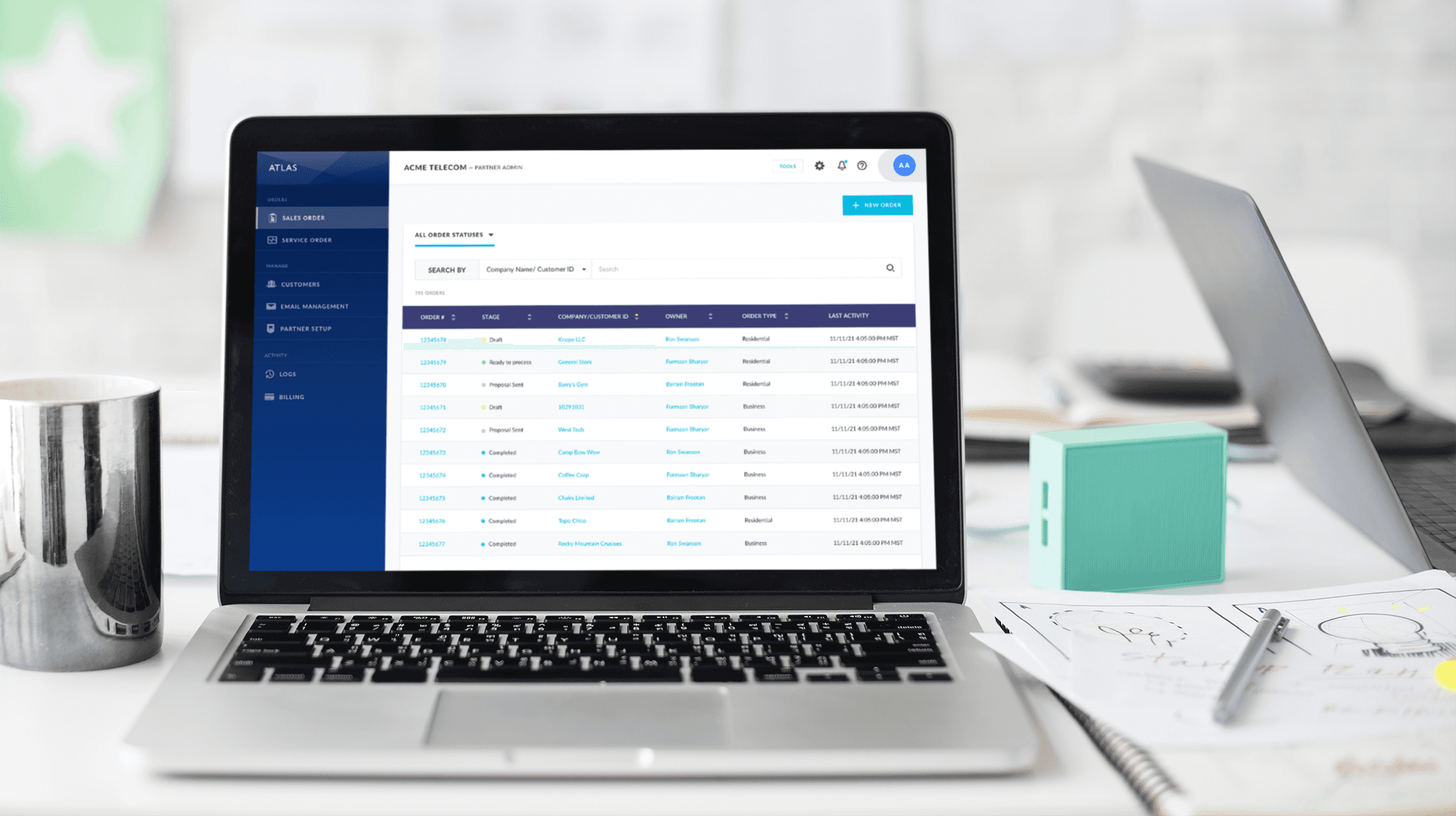
Atlas is the partner-facing tool for placing and tracking sales orders at Voyant, a national telecom company. This redesign focused on simplifying a complex, multi-step user flow and modernizing the interface to support clarity, speed, and usability. The updated prototype was validated through user testing with both new and experienced partners.
Process
Research
I had the opportunity to speak with both seasoned and new users of the product at a training before starting the design. It was clear that the focus for the updates should not only be to modernize the visual design of Atlas, but to simplify the user flow.
Re-designing the user flow
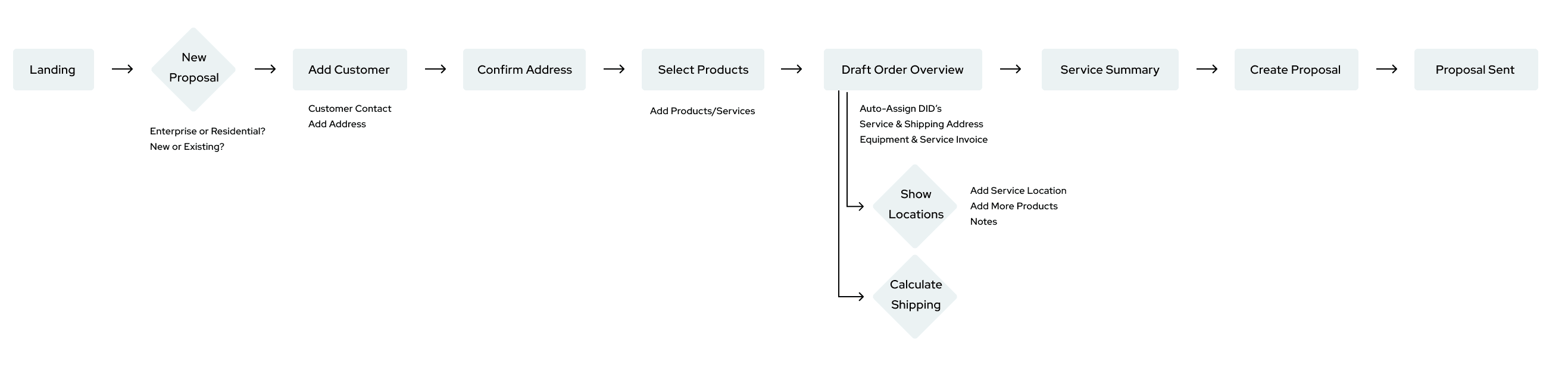
In the original design of Atlas, placing a sales order requires the user to flow through at least 7 screens with 3 required pop-ups.
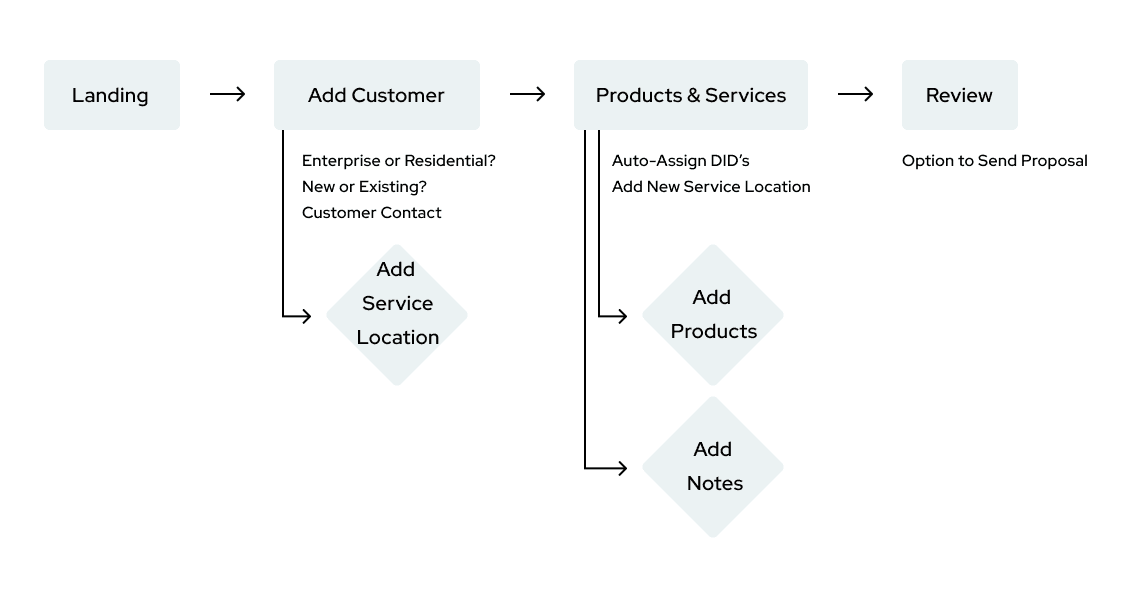
Through a design audit and informed by our user interviews, I was able to simplify the flow so that users would be able to place an order in 3 simple steps with necessary pop-ups integrated into each step.
The Design
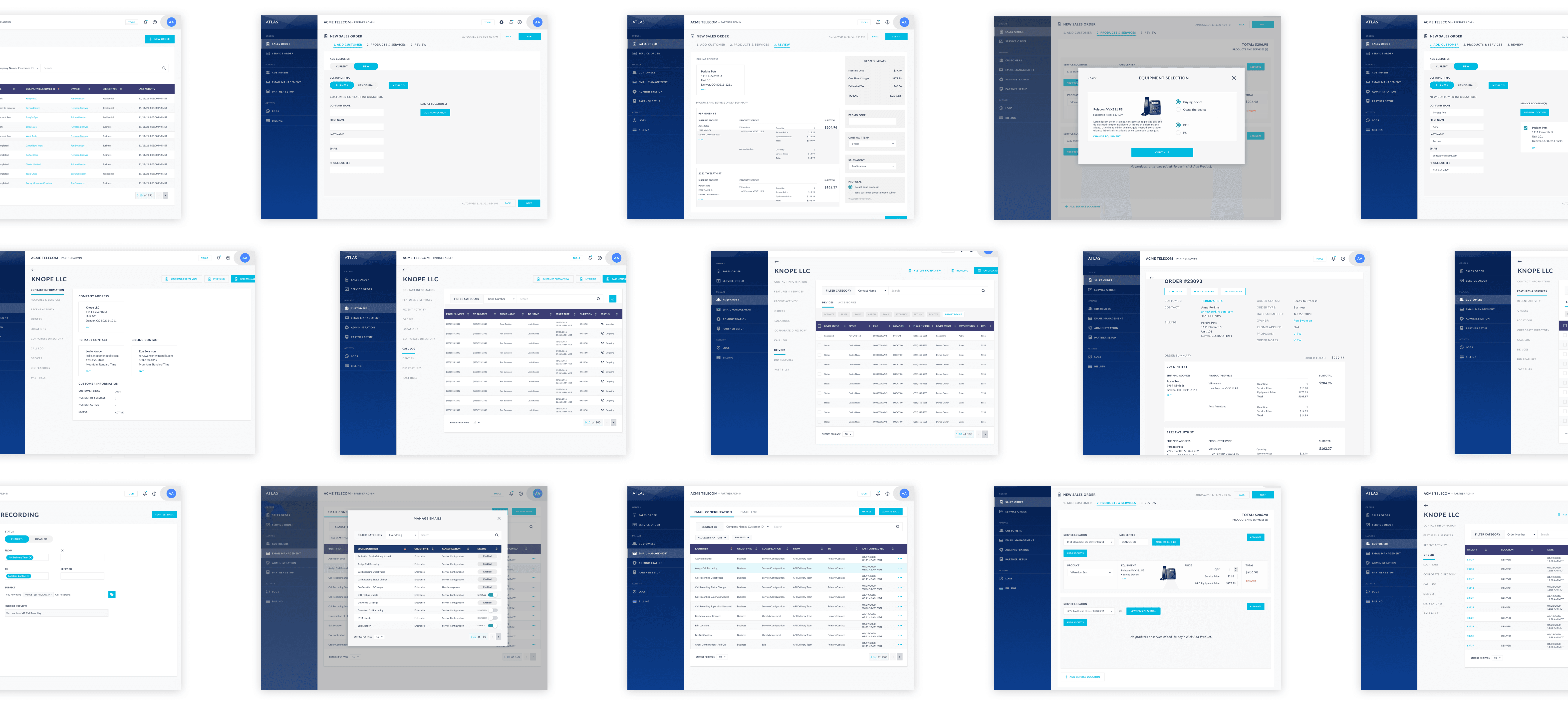
Leveraging an existing UI library, I focused on an obvious and intuitive breadcrumb trail through the flow, and displaying all necessary information on each page in a manner that wouldn't be overwhelming to the user.
User Testing Feedback
I was able to conduct 6 user tests with participants ranging from experienced to brand new users. The testing showed three main pain points:
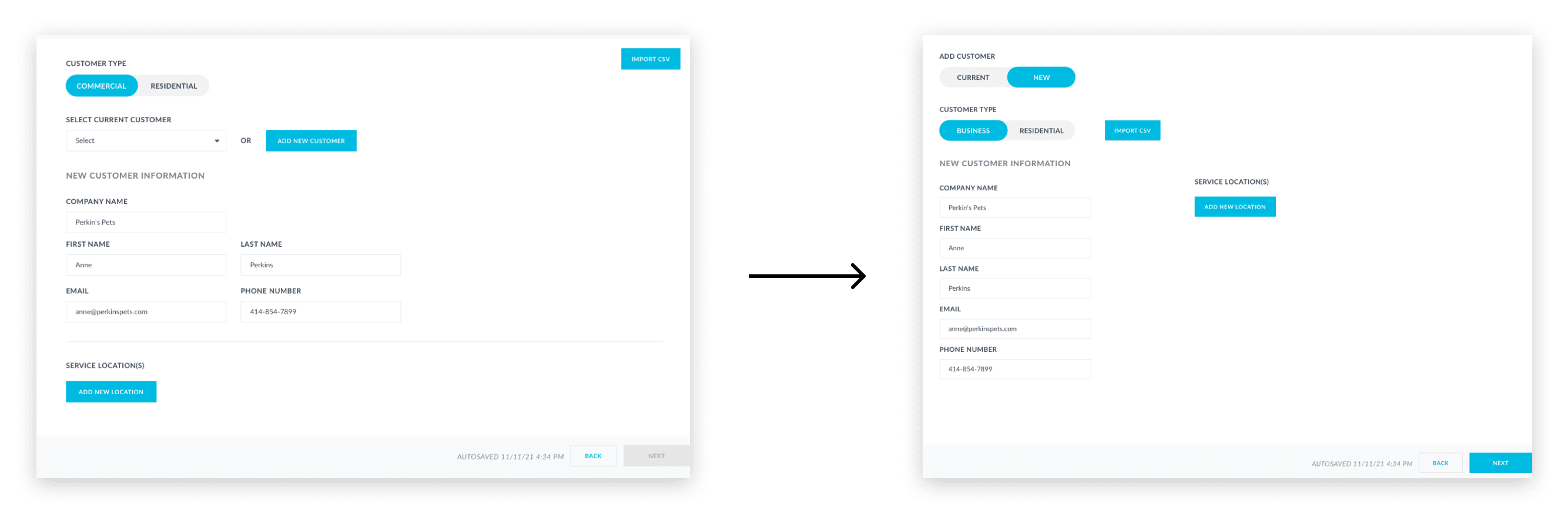
All users had difficulty adding an address to a new customer order
The word "commercial" was confusing
In order to make adding an address more discoverable, I moved the option to a spot where a user wouldn't have to scroll. Additionally, wording was changed from "commercial" to "business" to be less confusing.
Outcomes
So what's next for Atlas?
'Sales Order' is just one of many features that Atlas offers to Voyant’s partners. Atlas also allows users to keep track of their service orders, control a customer’s current services, devices, and accounts, as well as manage emails and email settings.
The main updates to the Sales Order flow were to simplify the user flow and update the UI to a more modern and intuitive style. While Service Order management will also need some user flow updates, most of the other features will need smaller UI tweaks to match the styling of the Sales Order flow and user testing to ensure the most intuitive design.
< Back to All